Tuesday, 30 May 2017

[6.0.1] Resurrection Remix 5.7.4 r79 ROM For Xiaomi Redmi Note 3G [MT592]

Hello Friends, Here is ROM For Xioami Redmi Note 3G, Here is Most Favorite And Popular ROM For You , Resurrection Remix ROM.This ROM Updates Android Security Patch (r79) and Fixes Some Glitches.Most Important Bug Fix in This ROM is Consist Of 2G/3G Switch Fixed So Now This ROM is Stable As CM12.1,If You really Dont Care VPN.This ROM is Built From Source By Monty Kumar.


Credits :
  • Fire855 - Made CM12.1 And CM13 for MT6592 stable and bootable -> Many thanks
  • Monty Kumar Compiled RR 574 From Source.
  • Tirth Patel 
  • LineageOS ROM Team
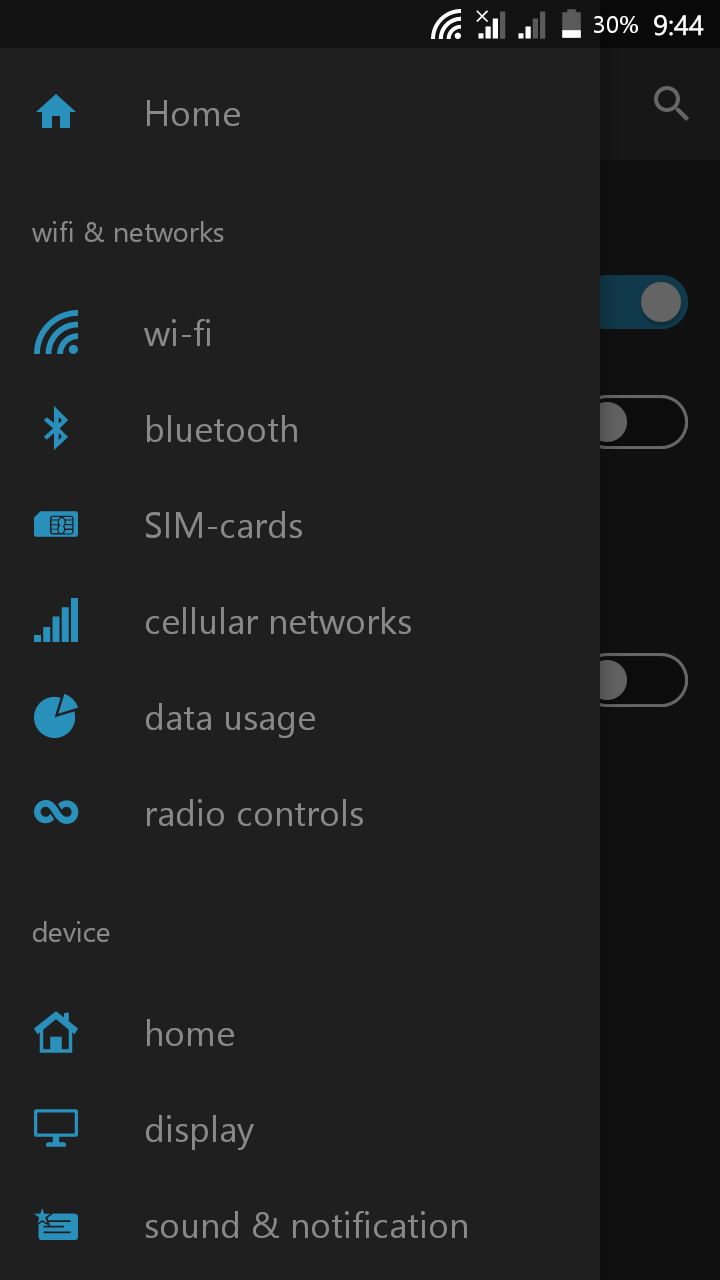
Screenshots:-

NOTE:- This Are Old ScreenShots Are Captured After Applying  Xposed Module (Android N'fy).


Changelog:- (30-5-2017)
- Upstreamed to r79
- Merged Lineage Upstream Changes
- Updated Security Strings to May 2017
Fixed 2G/3G Switch 
Fixed Reboot to Turn On Data - Data Connection is more stable
- Fixed Consecutive Lags due to Selinux
- Reduce Logging
- Fixed SDcard name on File Manager


What Working ?

  • Dual SIM
  • WiFi
  • Ril
  • Bluetooth
  • Audio
  • Sensors
  • Camera (photo and video recording)
  • GPS 
  • FM Radio
  • OTG
  • Screen Recording
  • Supports Youtube 720P Videos

Bugs?

  • VPN 
  • 720P/60Fps Video Lag And Other Minor Glitches Here and There !

=====================================
!! Please Note it Guys, There is Always Potential Risk While Flashing ROM in Any Device.So You Have to do it at Your Own Risk And Think about it twice Before doing. !!

I Am NOT Responsible If You Done Any Damage To Your Device While Flashing ROM !
If There Is Any Problem Happen I Will Try My Best To Solve It :)
======================================


Download Links:-

Note:- Before Download Do Check FAQ Listed Below, False Comments Consist Of Same Questions Present In FAQ Will Be Ignored :3 !
4) Gapps 6.0.1


How to Flash:-
  • Reboot Into Recovery.
  • Wipe Data/Factory reset.
  • Wipe Cache, Dalvik Cache.
  • Flash "RR 5.7.4 r79" ROM .
  • Reboot

If You Have Any Doubts Or Queries, Do Ask Them In Our Comment Section And Visit Again For More Future ROM Reviews :)

Saturday, 27 May 2017

[6.0.1] LineageOS 13 For Xiaomi Redmi Note 3G [MT6592][LATEST]
Hello Friends, Here is ROM For Xioami Redmi Note 3G After Very Long Time,Since i dont own this device Now( Its HardBricked Btw) I am Not Able to Post All ROMs Now But With Help Of Some Testers I have Ported this ROM and Tested as well.LineageOS Is Something Which We were Calling up as CyanogenMOD,This ROM Updates Android Security Patch (r79) and Fixes Some Glitches.Most Important Bug Fix in This ROM is Consist Of 2G/3G Switch Fixed So Now This ROM is Stable As CM12.1,If You really Dont Care VPN.This ROM is Built From Source By Tirth Patel And Its Ported to Our Device Redmi Note 3G By Suraj Lad ( Me ).

Credits :

  • Fire855 - Made CM12.1 And CM13 for MT6592 stable and bootable -> Many thanks
  • Tirth Patel - Compiled LineageOS 13 From Source.
  • Monty Kumar And Evanixionz Merah Merona - For Testing
  • LineageOS ROM Team
  • Suraj Lad (Me) - Ported It To Redmi Note 3G 

Screenshots:-


Changelog:- (27-5-2017)
- Upstreamed to r79
- Merged Lineage Upstream Changes
- Updated Security Strings to April 2017
- Fixed 2G/3G Switch
- Data Connection is more stable
- Fixed Consecutive Lags due to Selinux
- Reduce Logging
- Fixed SDcard name on File Manager


What Working ?

  • Dual SIM
  • WiFi
  • Ril
  • Bluetooth
  • Audio
  • Sensors
  • Camera (photo and video recording)
  • GPS 
  • FM Radio
  • OTG
  • Screen Recording
  • Supports Youtube 720P Videos
Bugs?

  • VPN 
  • 720P/60Fps Video Lag And Other Minor Glitches Here and There !
=====================================
!! Please Note it Guys, There is Always Potential Risk While Flashing ROM in Any Device.So You Have to do it at Your Own Risk And Think about it twice Before doing. !!

I Am NOT Responsible If You Done Any Damage To Your Device While Flashing ROM !
If There Is Any Problem Happen I Will Try My Best To Solve It :)
======================================

Download Links:-

Note:- Before Download Do Check FAQ Listed Below, False Comments Consist Of Same Questions Present In FAQ Will Be Ignored :3 !

How to Flash:-
  • Reboot Into Recovery.
  • Wipe Data/Factory reset.
  • Wipe Cache, Dalvik Cache.
  • Flash "LineageOS 13" ROM .
  • Reboot

FAQ:- (Frequently Asked Questions )
  1. How to Get Root Access?
    -> Go To Settings-->About Phone-->Tab Build No 7 Times
    Then Go to Devs Option And Select Root Access-->Apps and ADB !
  2. Some Apps Not Working Properly (Whatsapp,Contacts etc? )
    -> Go To Settings-->Apps-->Select That ParticularApp-->Permissions-->Now Give It All Permissions.
  3. How to Move AppToSD?
    -> As If Now FolderMount App Is Not Working With MM ROMs ,So You Must Have to use XinternalSD to Move App to SD It May Work.

If You Have Any Doubts Or Queries, Do Ask Them In Our Comment Section And Visit Again For More Future ROM Reviews :)

Friday, 20 January 2017

[6.0.1] Krexus ROM For Xiaomi Redmi Note 3G [MT6592]

Hello Friends,Here is Another Custom ROM For Xiaomi Redmi Note 3G. Krexus ROM is Another Custom ROM based On AOSP Codes Which Supports Substratum Theme Engine.ROM is fast And Smooth Also Light Weight.This ROM Is Built From Source By Tirth Patel And Ported To Redmi Note 3G By Suraj Lad ( Me).

Credits:- 
  • Fire855 - Made CM12.1 And CM13 for MT6592. Major thanks
  • Ferhung
  • Yazad Madan And Kishan Patel
  • Tirth Patel
  • TLS
  • Suraj Lad (Me) - Ported It To Redmi Note 3G 

Screenshots:-


What's Working :
  • Camera And Bluetooth
  • Audio in calls
  • Auto Rotation
  • Sensors
  • USSD
  • Audio
  • Mic
  • RIL
  • SMS (Receive and Send both working)
  • WiFi And Hotspot
  • Data Connection
  • Dual SIM
  • Both Storage's (SD and Internal) mounting in both Phone and PC
  • GPS

Bugs :

  • VPN
  • Other Ignore able Issues Here and There, Which You May Or May Not Notice !

=====================================
!! Please Note it Guys, There is Always Potential Risk While Flashing ROM in Any Device.So You Have to do it at Your Own Risk And Think about it twice Before doing. !!

I Am NOT Responsible If You Done Any Damage To Your Device While Flashing ROM !
If There Is Any Problem Happen I Will Try My Best To Solve It :)
======================================


Download Links:-

NOTE:- Gapps Are NOT Added in This ROM, So Flash This Gapps Immediately After Flashing ROM.


    How To Flash:-
    • Reboot Into Recovery.
    • Wipe Data/Factory reset.
    • Wipe Cache, Dalvik Cache.
    • Flash "Krexus" ROM .
    • Now Flash Gapps Package And SuperSU.
    • Reboot
    • Done

    If You Have Any Doubts Or Queries, Do Ask Them In Our Comment Section And Visit Again For More Future ROMs And ROM Reviews :)

    Tuesday, 27 December 2016

    [6.0.1][OMS] PureNexus ROM For Xiaomi Redmi Note 3G

    Hello Friends, Here Is Another ROM For Xiaomi Redmi Note 3G.PureNexus ROM- It Is AOSP Based ROM With Substratum Theme Engine,This ROM is Meant For Pure Performance.This ROM Has Got Some Options Added For Customization,Offcourse Due to Stock Android.However For Theming You can Install Substratum Theme Manager ( Yes, Substratum Supported ) By which You can Apply Various Theme Available on Playstore for Substratum.This Is Built By Tirth Patel And Later Ported To Xiaomi Redmi Note 3G by Suraj Lad ( Me).

    Credits :-

    • Fire855 - Made CM12.1 And CM13 for MT6592. Major thanks
    • Ferhung
    • Tirth Patel
    • TLS
    • Suraj Lad (Me) - Ported It To Redmi Note 3G 

    Screenshots:-
    Using Xposed+Android N'ify :- 


    What's Working :
    • Camera And Bluetooth
    • Audio in calls
    • Auto Rotation
    • Sensors
    • USSD
    • Audio
    • Mic
    • RIL
    • SMS (Receive and Send both working)
    • WiFi And Hotspot
    • Data Connection
    • Dual SIM
    • Both Storage's (SD and Internal) mounting in both Phone and PC

    Bugs :

    • VPN
    • 2G/3G Switch
    • Other Ignore able Issues Here and There, Which You May Or May Not Notice !

    =====================================
    !! Please Note it Guys, There is Always Potential Risk While Flashing ROM in Any Device.So You Have to do it at Your Own Risk And Think about it twice Before doing. !!

    I Am NOT Responsible If You Done Any Damage To Your Device While Flashing ROM !
    If There Is Any Problem Happen I Will Try My Best To Solve It :)
    ======================================

    Download Links:-


      Note:- Gapps Are Not Added In This ROM !


        How To Flash:-
        • Reboot Into Recovery.
        • Wipe Data/Factory reset.
        • Wipe Cache, Dalvik Cache.
        • Flash "PureNexus 6.0.1 r74" ROM .
        • Now Flash Gapps Package And SuperSU.
        • Reboot
        • Done

        If You Have Any Doubts Or Queries, Do Ask Them In Our Comment Section And Visit Again For More Future ROMs And ROM Reviews :)

        Sunday, 18 December 2016

        [6.0.1] Chroma ROM for Xioami Redmi Note 3G[MT6592]

        Hello Friends, Here Is Another ROM For Xiaomi Redmi Note 3G.Chroma ROM- It Is AOSP Based ROM With Substratum Theme Engine,This ROM is Meant For Pure Performance.This ROM Has Got Some Options Added For Customization,Offcourse Due to Stock Android.However For Theming You can Install Substratum Theme Manager ( Yes, Substratum Supported ) By which You can Apply Various Theme Available on Playstore for Substratum.This Is Built By Tirth Patel And Later Ported To Xiaomi Redmi Note 3G by Suraj Lad ( Me).

        Credits :-

        • Fire855 - Made CM12.1 And CM13 for MT6592. Major thanks
        • Ferhung
        • Tirth Patel
        • TLS
        • Suraj Lad (Me) - Ported It To Redmi Note 3G 

        Screenshots:-


        What's Working :
        • Camera And Bluetooth
        • Audio in calls
        • Auto Rotation
        • Sensors
        • USSD
        • Audio
        • Mic
        • RIL
        • SMS (Receive and Send both working)
        • WiFi And Hotspot
        • Data Connection
        • Dual SIM
        • Both Storage's (SD and Internal) mounting in both Phone and PC

        Bugs :

        • VPN
        • 2G/3G Switch
        • Other Ignore able Issues Here and There, Which You May Or May Not Notice !

        =====================================
        !! Please Note it Guys, There is Always Potential Risk While Flashing ROM in Any Device.So You Have to do it at Your Own Risk And Think about it twice Before doing. !!

        I Am NOT Responsible If You Done Any Damage To Your Device While Flashing ROM !
        If There Is Any Problem Happen I Will Try My Best To Solve It :)
        ======================================


        Download Links:-


          Note:- Gapps Are Not Added In This ROM !


            How To Flash:-
            • Reboot Into Recovery.
            • Wipe Data/Factory reset.
            • Wipe Cache, Dalvik Cache.
            • Flash "Chroma 6.0.1 r74" ROM .
            • Now Flash Gapps Package And SuperSU.
            • Reboot
            • Done

            If You Have Any Doubts Or Queries, Do Ask Them In Our Comment Section And Visit Again For More Future ROMs And ROM Reviews :)

            Friday, 16 December 2016

            [6.0.1] UberMallow ROM for Xioami Redmi Note 3G[MT6592]


            Hello Friends, Here Is Another ROM For Xiaomi Redmi Note 3G.Ubermallow ROM- It Is AOSP Based ROM With Substratum Theme Engine,This ROM is Meant For Pure Performance.This ROM Has Nothing For Customization,Offcourse Due to Stock Android.However For Theming You can Install Substratum Theme Manager ( Yes, Substratum Supported ) By which You can Apply Various Theme Available on Playstore for Substratum.This Is Built By Tirth Patel And Later Ported To Xiaomi Redmi Note 3G by Suraj Lad ( Me).

            Credits :-

            • Fire855 - Made CM12.1 And CM13 for MT6592. Major thanks
            • Ferhung
            • Yazad Madan And Kishan Patel
            • Tirth Patel
            • TLS
            • Suraj Lad (Me) - Ported It To Redmi Note 3G 

            Screenshots:-
            (Taken With Xposed+N'ify+ModernUI Theme (Substratum) ) 


            What's Working :
            • Camera And Bluetooth
            • Audio in calls
            • Auto Rotation
            • Sensors
            • USSD
            • Audio
            • Mic
            • RIL
            • SMS (Receive and Send both working)
            • WiFi And Hotspot
            • Data Connection
            • Dual SIM
            • Both Storage's (SD and Internal) mounting in both Phone and PC

            Bugs :

            • VPN
            • 2G/3G Switch
            • Other Ignore able Issues Here and There, Which You May Or May Not Notice !

            =====================================
            !! Please Note it Guys, There is Always Potential Risk While Flashing ROM in Any Device.So You Have to do it at Your Own Risk And Think about it twice Before doing. !!

            I Am NOT Responsible If You Done Any Damage To Your Device While Flashing ROM !
            If There Is Any Problem Happen I Will Try My Best To Solve It :)
            ======================================


            Download Links:-


              How To Flash:-
              • Reboot Into Recovery.
              • Wipe Data/Factory reset.
              • Wipe Cache, Dalvik Cache.
              • Flash "UberMallow 6.0.1 r74" ROM .
              • Now Flash Gapps Package And SuperSU.
              • Reboot
              • Done

              If You Have Any Doubts Or Queries, Do Ask Them In Our Comment Section And Visit Again For More Future ROMs And ROM Reviews :)